누적 다운로드 5만 돌파50,000+ downloads

오토파일럿은 사라져도,
테슬라에겐 테파일럿이 있다.
Autopilot may fade away.
Tesla still has TePilot.

순정 내비 그대로
단속카메라 알림 · 자동 차계부 · 하차 리마인더
Your car’s own navigation
Camera alerts · Automatic trip log · Get-out reminders

📱 단축어 설정 없이, 타면 켜져요Get in and it's already on — no Shortcuts setup안드로이드 · 아이폰 지원
아이폰 · iOS 26 이상 → 설정 → 실험실 → ‘앱을 스와이프로 종료해도 자동으로 켜기’ → 앱 종료 → 차 옆에서 다시 열기 → 차량 등록
Android and iPhone
iPhone · iOS 26+ → Settings → Labs → Auto-start even after swiping the app away → swipe away → reopen beside car → register car
조건 보기 →See the requirements →
🎟️ 광고 안 봐도 핵심 기능은 무료Core features are free — no ad needed무료 · 국내 카메라 안내(2.1.0 이상) / 자동 차계부
경로 모드·자동화 편집 · 광고 1회 → 하루 이용권 / PRO 월 1,900원
Free · camera alerts in Korea (2.1.0+) / trip log
Route mode and automation editing · one ad → Day Pass / PRO ₩1,900 per month
요금제 보기 →See plans →
📸 과속·구간단속📸 Speed cameras 📒 자동 차계부📒 Automatic trip log 🅿️ 주차 위치🅿️ Parking spot 🗣️ 하차 리마인더🗣️ Get-out reminders 🎙️ 주행 녹음🎙️ Drive recording
아이폰 데모 · 주행 → 차계부 → 통계 → 자동화iPhone demo · Drive → Trip log → Stats → Automations
데모 내용 읽기Read the demo transcript
  1. 주행 화면에 전방 단속카메라의 제한속도와 남은 거리가 표시돼요.On the driving screen, a camera alert shows the speed limit and distance to the camera.
  2. 차계부에 집과 회사를 오간 주행이 날짜별로 모여요.The trip log lists drives between home and work, grouped by date.
  3. 통계 화면에서 이번 달 주행 거리와 평균 전비를 확인해요.The monthly statistics show distance driven and average energy efficiency.
  4. 자동화 목록에서 각 규칙 옆 스위치로 켜짐 상태를 확인해요.In the automation list, a switch beside each rule shows whether it is on.

소개 영상 Intro video

영상으로 보면 더 빨라요Faster to watch

실제 화면으로 보는 소개 영상이에요.A real walkthrough of the app in use.
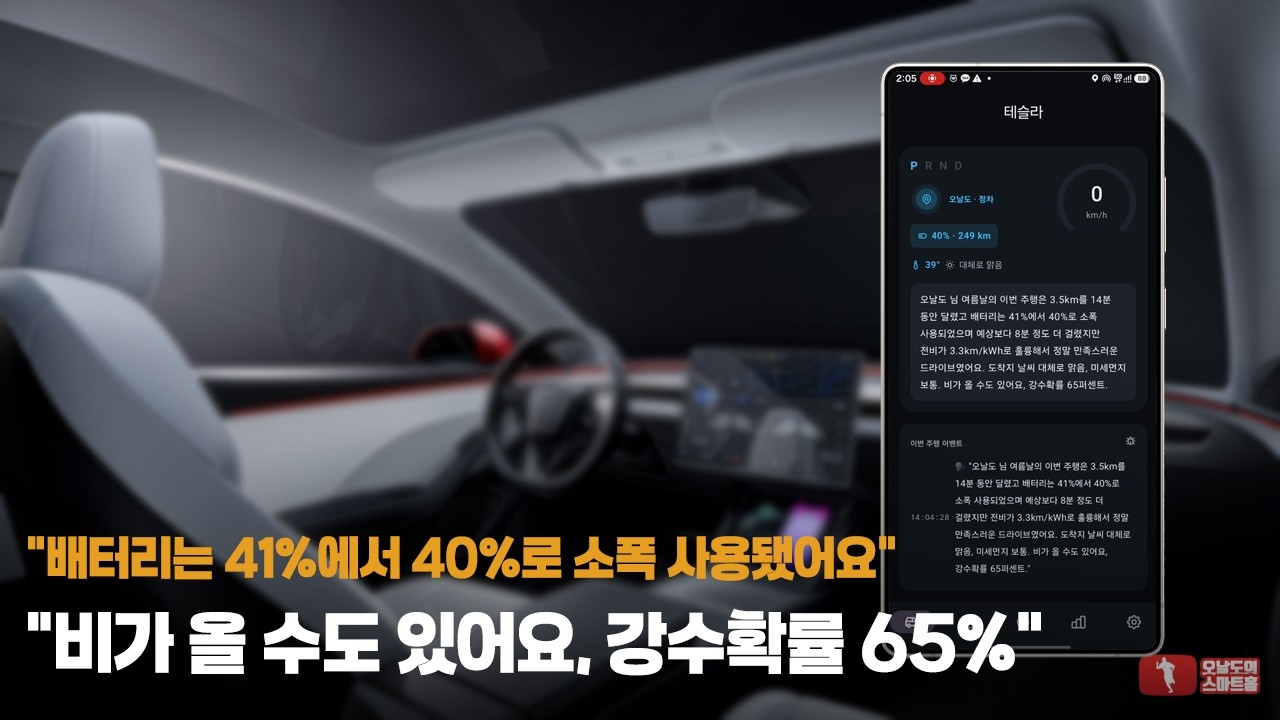
TePilot 소개 영상 미리보기 ▶ 재생▶ Play

테파일럿 소개 · 오날도TePilot intro · Onaldo
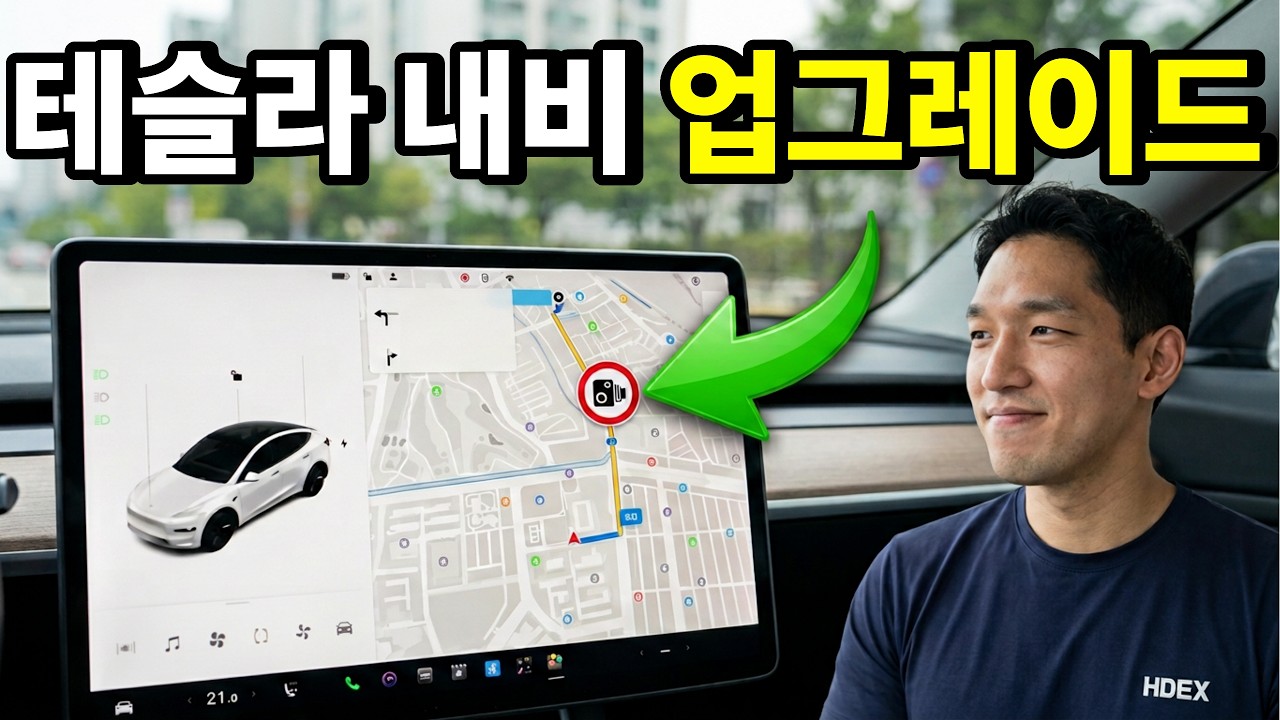
전지적아내시점 테파일럿 소개 영상 미리보기 ▶ 재생▶ Play

순정 내비 하나로 과속 안내까지 · 출처: 전지적아내시점 ↗Speed alerts with just the stock nav · Source: 전지적아내시점 ↗
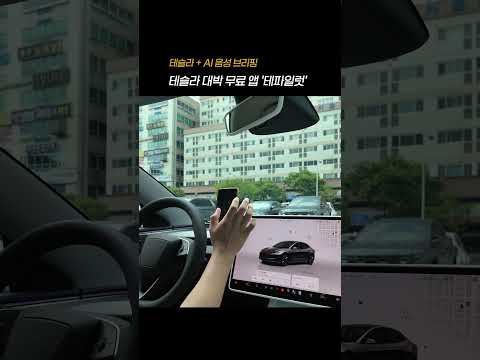
TePilot AI 브리핑 모음 쇼츠 미리보기 ▶ 쇼츠▶ Shorts

AI 브리핑 모음 · 오날도AI briefing highlights · Onaldo

소개 영상과 쇼츠는 IoT 유튜버 오날도님이 만들어 주셨습니다. 소개해주시고 게시를 허락해주셔서 감사합니다. 순정 내비 영상은 유튜브 채널 전지적아내시점님의 영상입니다(원본 보기). 소개해주시고 게시를 허락해주셔서 감사합니다. The intro and Shorts were made by IoT YouTuber Onaldo. Thank you for featuring TePilot and allowing us to share them here. The stock-nav video is by YouTube channel 전지적아내시점 (watch on YouTube). Thank you for featuring TePilot and allowing us to share it here.
이번 주 업데이트 · 2.4.1 (11월 20일) — 안내 말투 고르기, 녹음 시작 알림, 무료 모드에서도 방지턱·버스전용차로This week · 2.4.1 (Nov 20) — pick a tone for alerts, choose the recording notice, bumps and bus lanes even on the free tier 전체 노트 보기 →All release notes →

차를 대체하지 않아요. 빈자리만 채워요.It doesn't replace your car. It fills the gaps.

순정 내비 그대로 · 주머니 속 폰 하나로Built-in navigation · just the phone in your pocket

주행 보조Driving

내비는 그대로, 카메라는 미리.Keep your navigation. We'll call the camera first.

순정 내비 + 카메라 음성·화면 알림Built-in navigation + spoken and on-screen camera alerts

📸 카메라, 미리 알려줘요📸 The camera, before you reach it

제한속도 · 남은 거리 · 화면 꺼짐 시 음성 안내

Speed limit · distance left · voice alerts with screen off

⏱️ 구간단속은 끝까지⏱️ Through the average-speed zone

구간 진입 → 남은 거리·목표 속도 안내

Enter zone → distance left and target speed

🎵 음악 위로, 또렷하게🎵 Clear over your music

안내 중 음악 볼륨 자동 조절 · 다른 내비 사용 중에도 음성 안내

Automatic music ducking · voice alerts alongside other navigation apps

무료 안전 주행 · 방지턱·버스전용차로 알림
이동식·함체형 카메라 분류 오류 수정
Free safe-driving mode · bumps and bus-lane alerts
Corrected mobile and box-camera classification

주행 보조 자세히 보기 →More on driving →

자동 차계부Trip log

타고 내리면, 기록은 끝나 있어요.Get in, get out. The log is already done.

주행 기록 · 주차 메모 · 녹음 파일Trip history · parking notes · drive recordings

📒 손 안 대도 차계부가 쌓여요📒 A trip log that fills itself

출발 → 기록 시작 · 주차 → 거리·시간·전비·전기요금 정리

Drive → start log · park → distance, time, efficiency and cost

🅿️ 주차 위치는 B7까지🅿️ Your parking spot, down to B7

지하 7층까지 · 기둥 번호 메모 + 사진

Down to B7 · pillar note + photo

🎬 녹음은 Dashcam Viewer로🎬 Recordings to Dashcam Viewer

출발 알림 → 자동 녹음 → 이 폰에 저장

Start notice → automatic recording → on-device storage

Dashcam Viewer 전송 · Android 전용Dashcam Viewer export · Android only

홈 마이크 버튼 · 직접 녹음 최대 3시간 / 기본 저장 한도 1GBHome mic button · manual recording up to 3 hours / default storage cap 1 GB

주행 녹음 자세히 보기Drive recording details
NEW

🚗 출발하면 자동 녹음Records as you pull away

출발 → 자동 녹음 · 주차 → 저장
녹음 중 표시 · 알림 + 홈 화면 빨간 점
시작 알림 · 음성 / 띠링 / 끄기

Drive → record · park → save
Recording indicators · notification + red dot on Home
Start notice · voice / chime / off

⏺️ 홈 마이크 버튼으로 직접Manual from the Home mic button

홈 마이크 → 직접 시작·중지(최대 3시간)
주행 중 중지 → 해당 주행의 자동 녹음 종료

Home mic → manual start or stop (up to 3 hours)
Stop mid-trip → no automatic restart for that trip

📒 차계부에서 다시 듣기Play it back from the trip

주행 상세 → 재생 / 공유 / 다운로드 폴더 저장
Android → Dashcam Viewer 전송 · 미설치 시 공유 창 또는 Play 스토어

Trip details → play / share / save to Downloads
Android → Dashcam Viewer · share sheet or Play Store if unavailable

🔒 파일은 이 폰에만Files stay on this phone

폰에만 저장 · 기본 1GB(약 35시간)
한도 초과 → 오래된 파일부터 삭제
앱 삭제 → 녹음 삭제 · 직접 저장·공유한 사본 유지

On device only · default 1 GB (about 35 hours)
Over limit → oldest files removed first
Uninstall → recordings removed · exported copies retained

설정 → 기록 → 주행 녹음 · 마이크·알림 허용
Android · 앱 종료 중 자동 시작 → ‘다른 앱 위에 표시’ 허용 / 미허용 시 알림 탭
차내 대화 포함 · 동승자에게 녹음 고지 · 지역별 동의 요건 확인
Settings → Records → Drive recording · allow microphone and notifications
Android · auto-start with app closed → allow Display over other apps / otherwise tap notification
Cabin conversations included · notify passengers and check local consent requirements
차계부 자세히 보기 →More on the trip log →

그 밖에도Also in the app

알아 두면 편한 것들Good to know

목적지 전송 자세히 보기Destinations in detail
📱→🚗

폰에서 차로Phone to car

폰 → 차량 · 지금 보내기 / 다음 탑승 때 보내기
공유 화면 → 탑승 상태에 맞는 버튼 표시

Phone → car · send now / send on next entry
Share screen → action based on whether you’re in the car

홈 📍 → 목적지 선택 → 차로 전송
자동화 → 조건 충족 시 목적지 설정
지도 중심 거리순 검색 · 현위치 복귀 버튼

Home 📍 → choose destination → send to car
Automation → set destination when conditions match
Search by distance from map center · return to current location

🚗→📱

차에서 폰으로Car to phone NEW

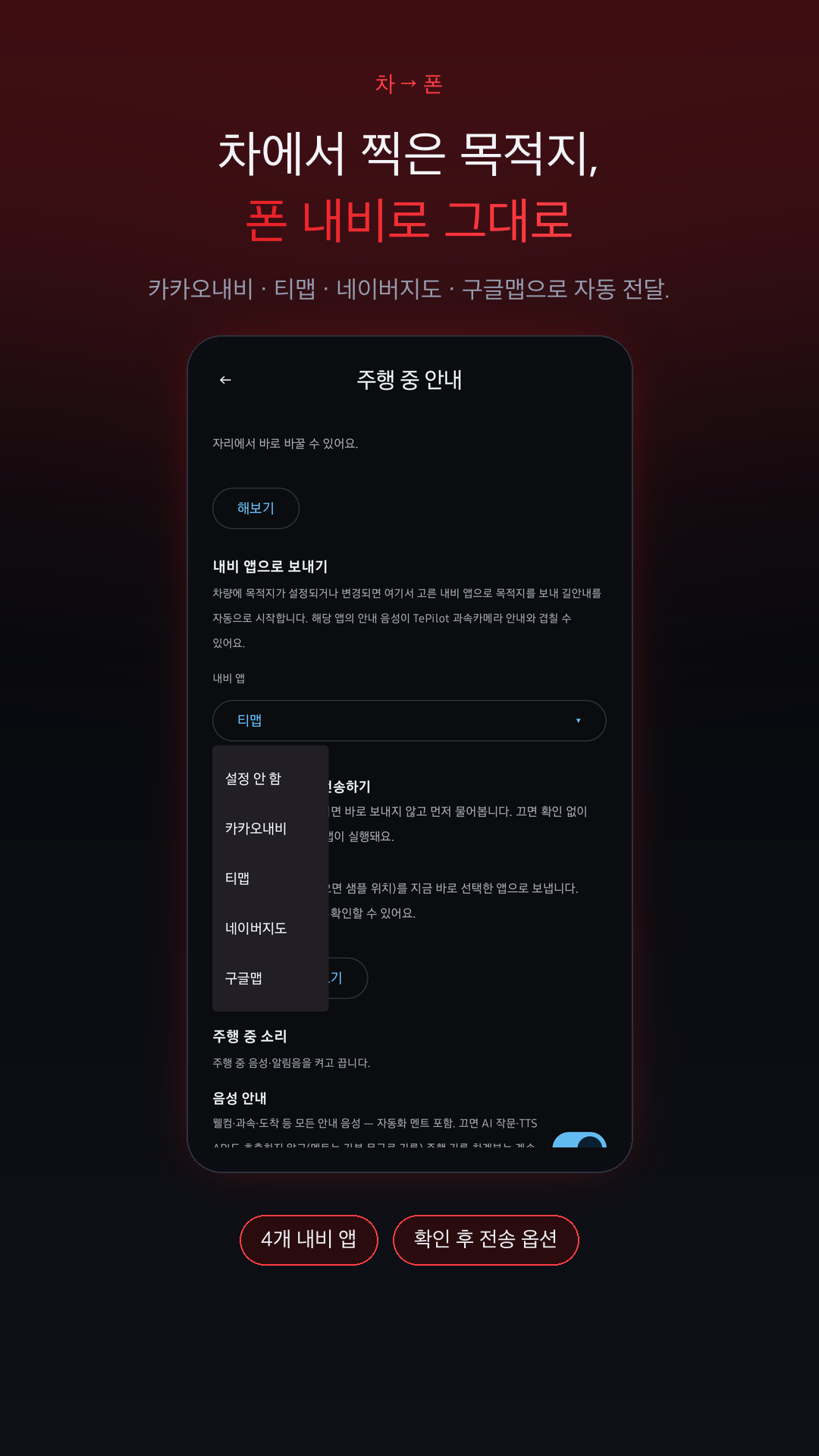
차량 → 폰 · 카카오내비 / 티맵 / 네이버지도 / 구글맵
길안내 자동 시작 · 전송 전 확인 선택

Car → phone · KakaoNavi / TMAP / Naver Map / Google Maps
Automatic directions · optional confirmation before sending

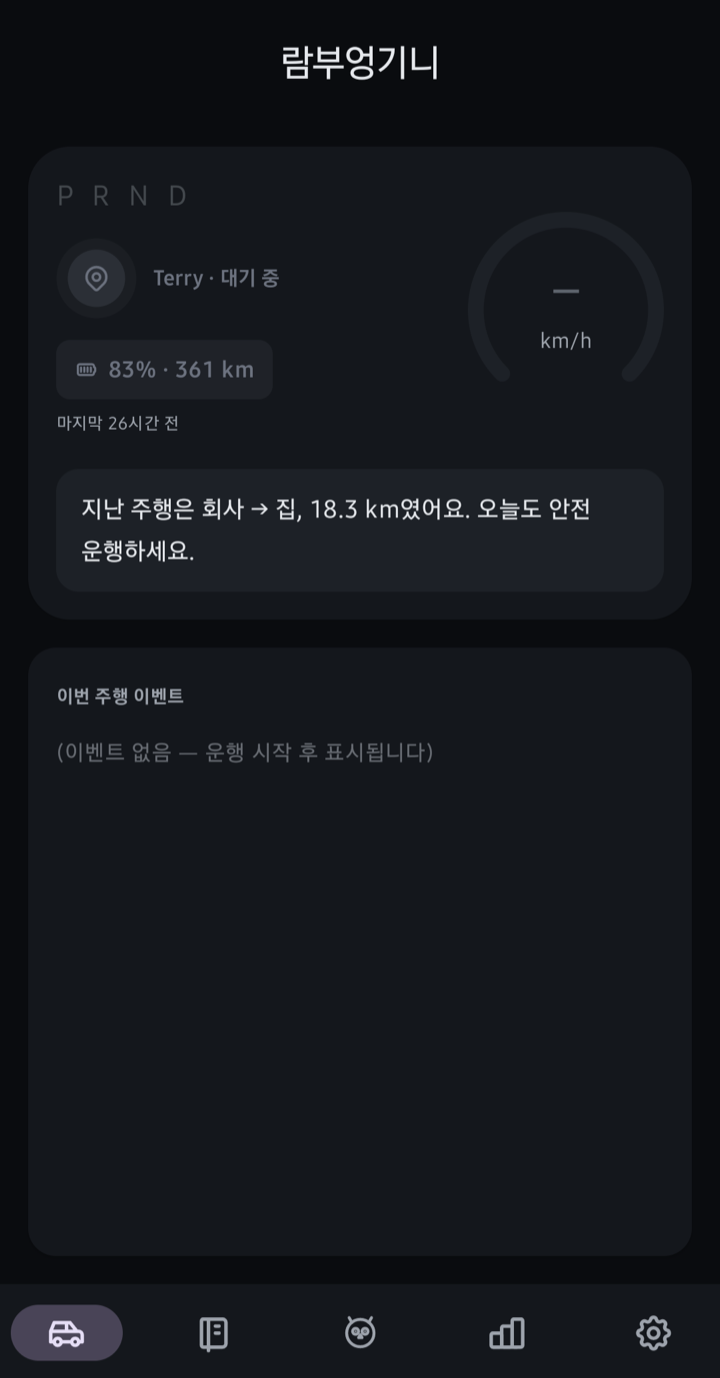
홈 화면에 표시된 목적지와 다음 주행 안내
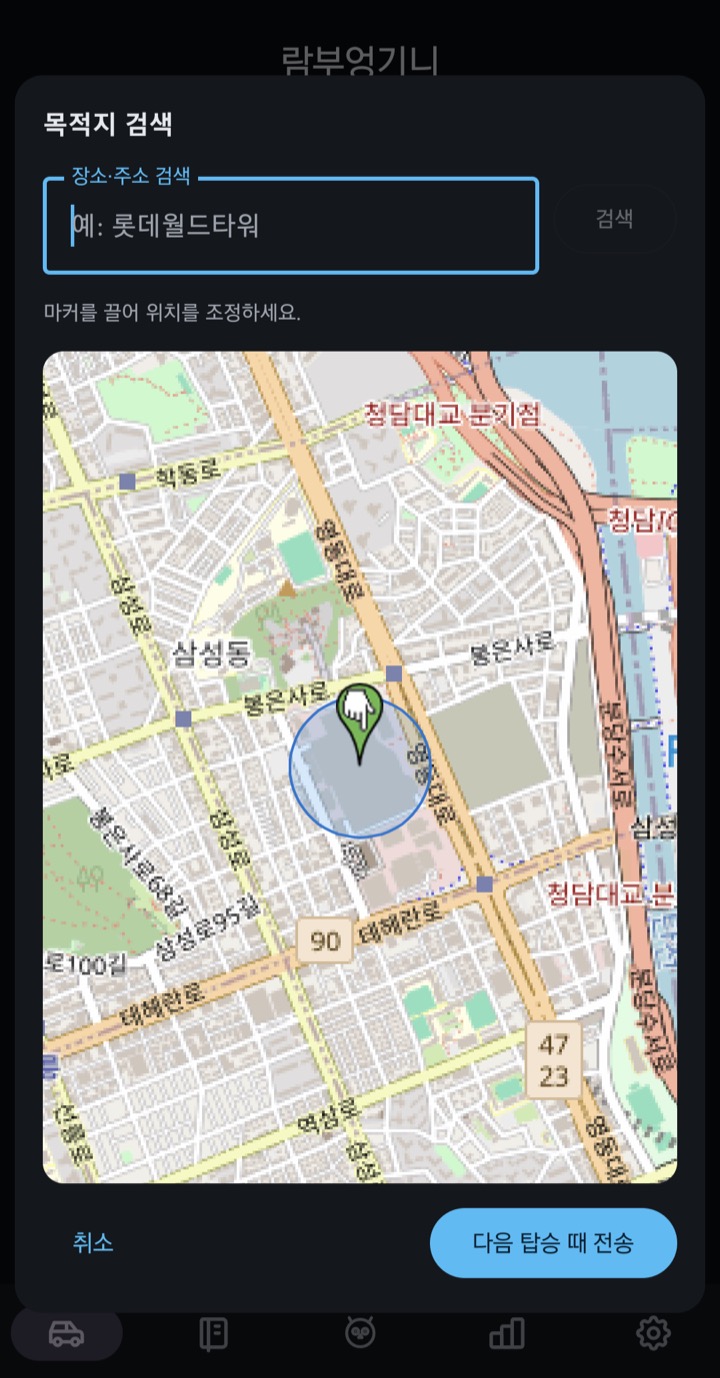
① 홈 화면의 📍 목적지 알약을 탭① Tap the 📍 destination pill on the home screen
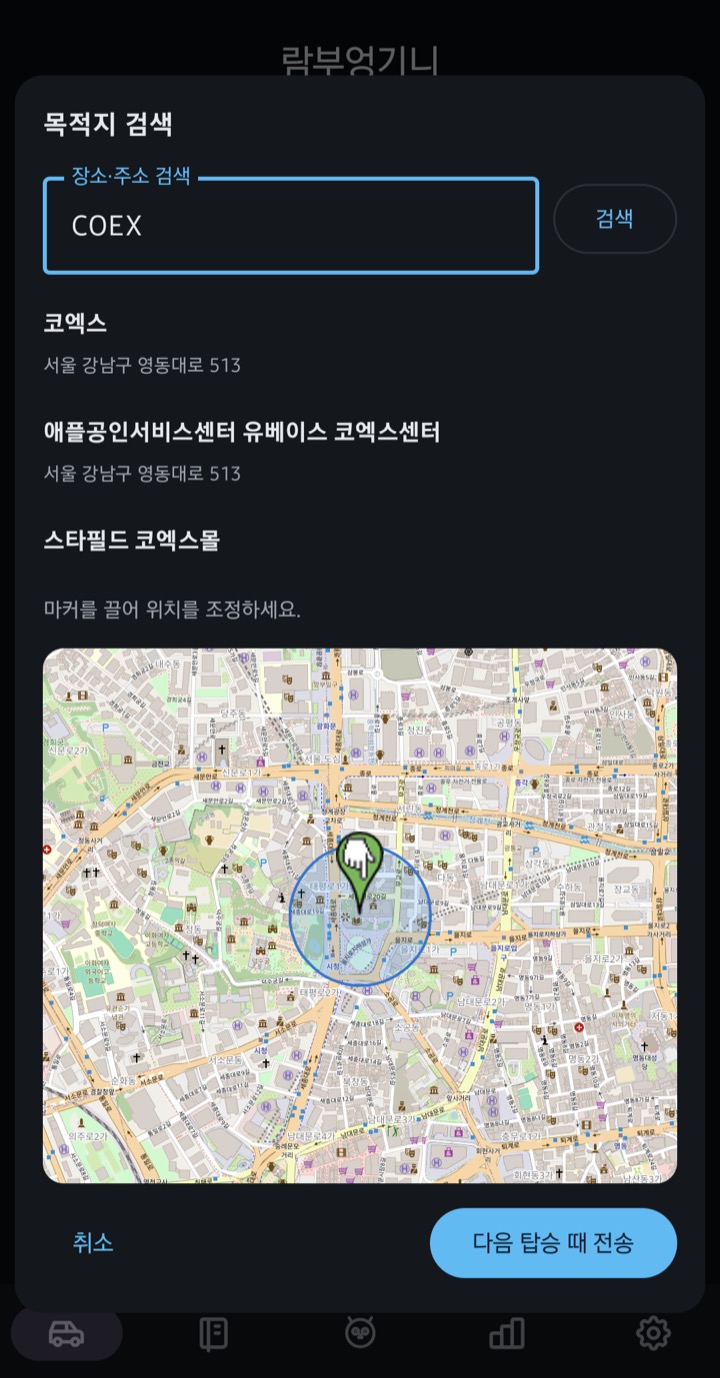
목적지 검색 결과와 지도에서 선택한 위치
② 장소를 검색하거나 지도 마커로 조정② Search a place or fine-tune with the map marker
선택한 목적지를 차량으로 전송하는 확인 화면
③ 전송 — 차가 자면 다음 탑승 때 자동 전송③ Send — if the car is asleep, it goes out on your next ride
차량에서 받은 목적지를 열 내비 앱을 고르는 화면
내비 앱으로 보내기 — 4개 앱 중 선택Pick which navigation app receives it

AI 주행 비서AI assistant

먼저 말을 걸어요. 내릴 땐 챙길 것까지.It speaks first. And it remembers your umbrella.

비 오는 날 → 우산 · 마트 → 장바구니Rain → umbrella · grocery stop → shopping bags

🗣️ 사람처럼 말해요🗣️ It talks like a person

날씨·상황별 문구 · 사투리·목소리·호칭 선택

Context and weather cues · regional tones, voices and names

🌂 내릴 때 챙길 걸 짚어줘요🌂 A nudge before you walk away

내 안내 예시 · “밖에 비 와요. 뒷좌석 우산 챙기세요.”

Custom reminder · “It’s raining. Grab the umbrella from the back seat.”

🚪 트렁크·프렁크는 루틴 버튼으로🚪 Trunk and frunk from a routine

삼성·구글 루틴 → 트렁크 열기·닫기 / 프렁크 열기

Samsung / Google routines → open or close trunk / open frunk

안드로이드 2.4.1 · 실험실 → ‘트렁크·프렁크 열기 허용’ 필수Android 2.4.1 · Labs → Allow trunk and frunk opening required

AI 비서 자세히 보기 →More on the assistant →

요금제Plans

카메라 안내와 차계부는 무료.Camera alerts and the trip log are free.

무료 / 하루 이용권 / PRO 구독 / 친구 소개Free / Day Pass / PRO subscription / referrals

🎟️ 무료로 되는 것🎟️ Free

이용권 없이 · 과속·구간단속 안내 + 자동 차계부

No pass required · speed and average-speed alerts + automatic trip log

카메라 안내 · 국내 / 앱 2.1.0 이상Camera alerts · Korea / app 2.1.0+

📺 하루 광고 한 번📺 One ad a day

광고 1회 → 경로 모드·차량 추가·자동화 편집 하루 이용

One ad → route mode, extra vehicles and automation editing for a day

⭐ PRO 월 1,900원⭐ PRO, ₩1,900 a month

모든 기능 · 광고 제거 · 연 결제 20,000원

All features · ad-free · yearly option ₩20,000

🤝 친구 소개 7일🤝 Refer a friend, 7 days

친구 설치·차량 연동 → ‘소개 선물 받기’ → 7일권
하루 이용권 추가 → 최대 8일

Friend installs and links car → Claim referral gift → 7 days
Add a Day Pass → up to 8 days

앱 2.4.0 이상 · 2.4.1에서 초대 코드 복사 버튼 추가App 2.4.0+ · copy button added in 2.4.1

요금제 자세히 보기 →See plans →

시작하기Setup

세 단계면 끝. 그다음은 타기만.Three steps. Then just get in.

설치 → 차량 등록 → 자동 시작Install → register car → auto-start

STEP 1
앱 설치Install
스토어에서 받고 위치는 '항상 허용'으로.From the store, with location set to Always.
→
STEP 2
차 등록Add your car
키카드로 한 번만 등록해요.Register once with your key card.
→
STEP 3
끝Done
다음부터는 타고 나가면 돼요.Next time, just get in and drive.

아이폰 · iOS 26 이상 · 실험실에서 자동 시작 켜기 → 앱 종료 → 차 옆에서 다시 열기 → 차량 등록iPhone · iOS 26+ · enable auto-start in Labs → swipe away → reopen beside car → register car

설정 방법 보기 →How to set up →

오토파일럿은 사라져도, 테슬라엔 테파일럿이 있다.Autopilot may fade away. Tesla still has TePilot.

💬 FAQFAQ